Vision Studio
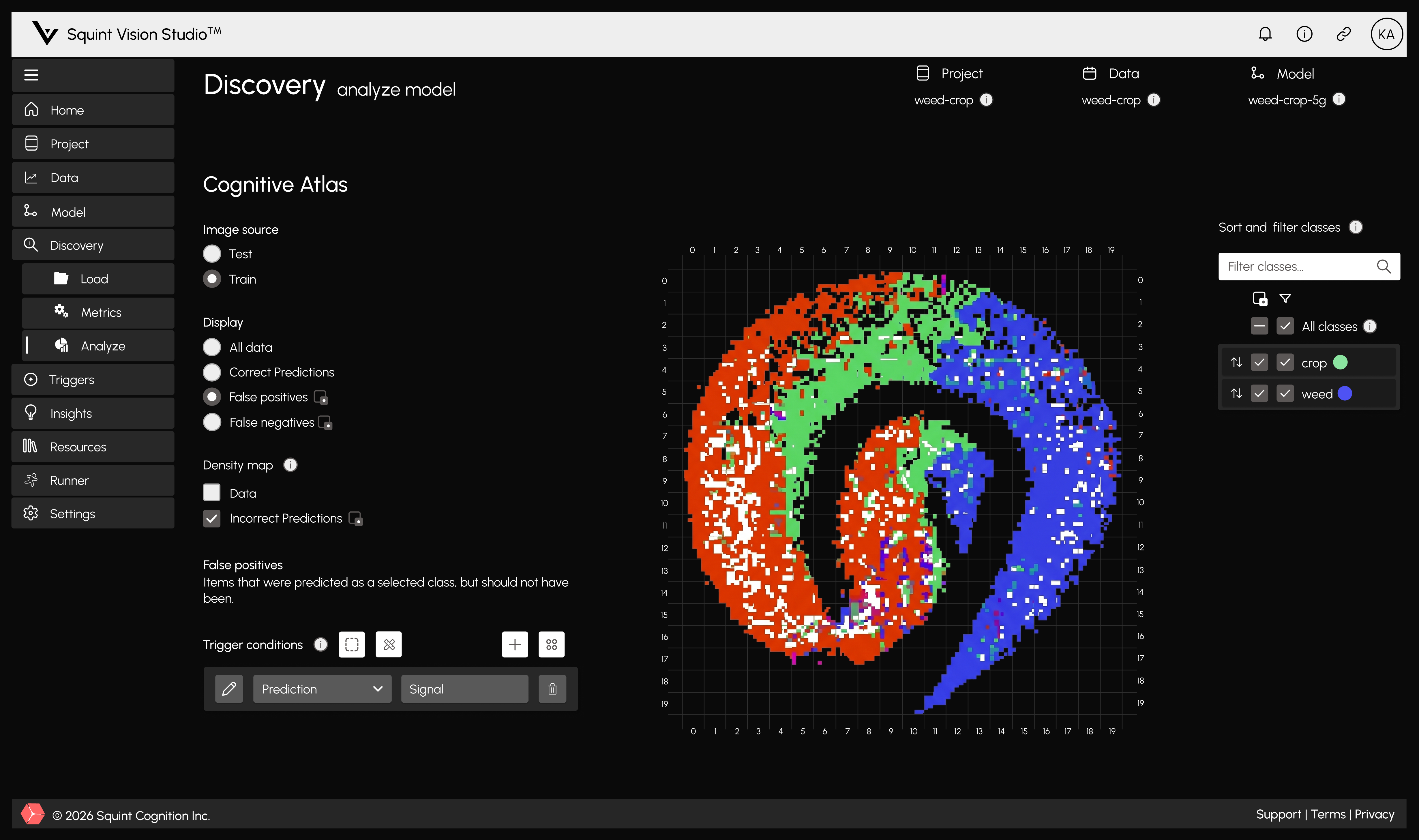
Squint Vision Studio maps a trained model's embedding space, marks the regions where it can be trusted and not trusted, and exports that map so every decision is precise.
.png)
Squint Vision Studio is a cognitive engine for analysing trained models. It provides workflows for inspecting labelled datasets, quantifying and visualising training results, and examining model behaviour. It can also be used to visualise a model's embedding space. By analysing this space and identifying areas where errors are likely to occur, users can create triggers that improve the model's runtime behaviour.
Instead of treating the classifier as a black box Squint Vision Studio is built to better understand a model's internal feature representation. This space holds a highly informative representation of how a model 'views' samples and makes decisions. By interpreting and understanding how data maps to this feature space, we can improve runtime decision making.
How it works
Import your model
Squint Vision Studio works with trained PyTorch and TensorFlow models. You point it at the model and the dataset it was trained on.
Review the map
Squint Vision Studio constructs a picture of how your model sees its data, where classes separate cleanly, where they overlap, and where mistakes gather.
Set your thresholds
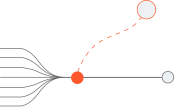
You decide how cautious the system should be. A high-consequence application sets a stricter bar than a high-throughput one.


Export the watchdog
Squint Vision Studio constructs a lightweight component that ships alongside your model.
Route in production
The watchdog labels each prediction as it happens and sends it down the path you configured.
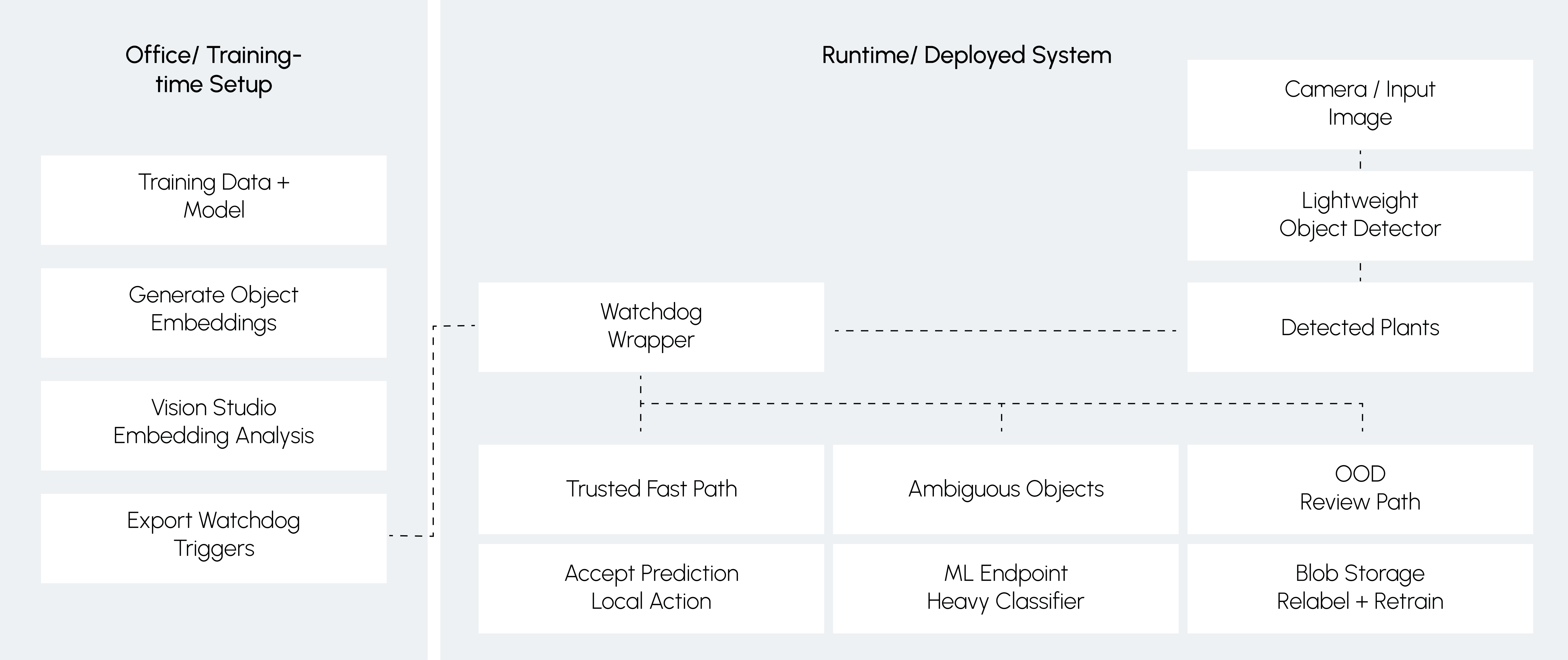
From that map, Squint Vision Studio constructs a component that runs alongside your model and checks every decision before it is made. Each one gets one of three labels.

Trusted
The model has handled cases like this reliably before. The decision is accepted and the system keeps moving.

Ambiguous
The model has been unreliable on cases like this. The decision goes for a second opinion, from a stronger model or a person.

Out-of-distribution
The model has seen nothing like this before. The decision is held back and flagged for review.
Read more about the workflow example, from model upload to deployed routing
Featured Case Study
BUILDING A SQUINTING PIPELINE FOR WEED/CROP DETECTION WITH SQUINT VISION STUDIO
How embedding-space monitoring can make embedded computer vision systems more reliable, efficient, and production-ready
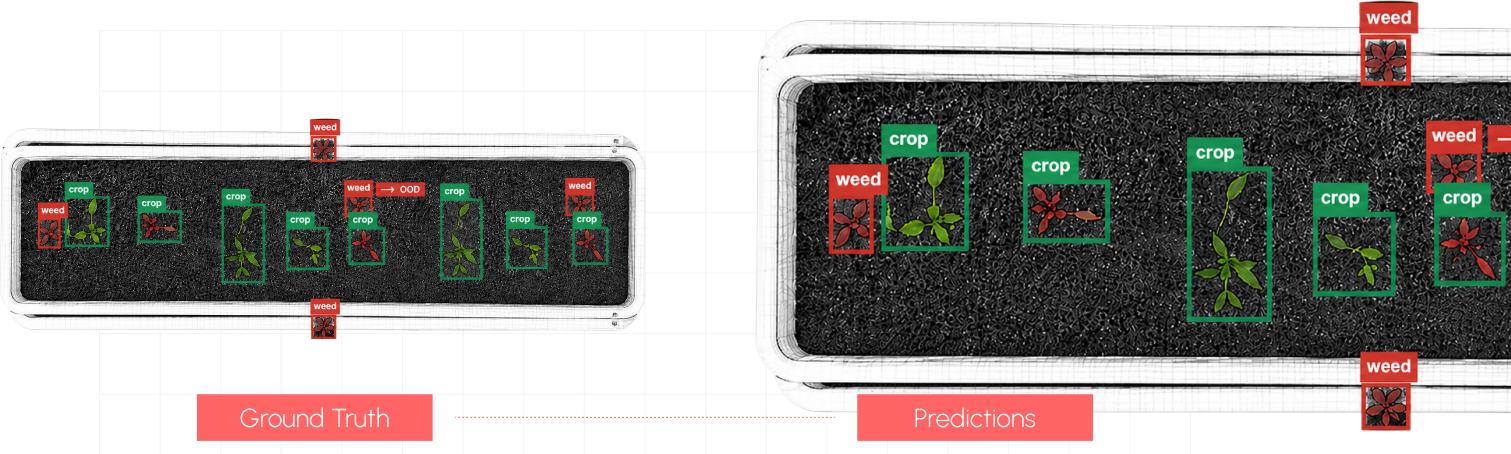
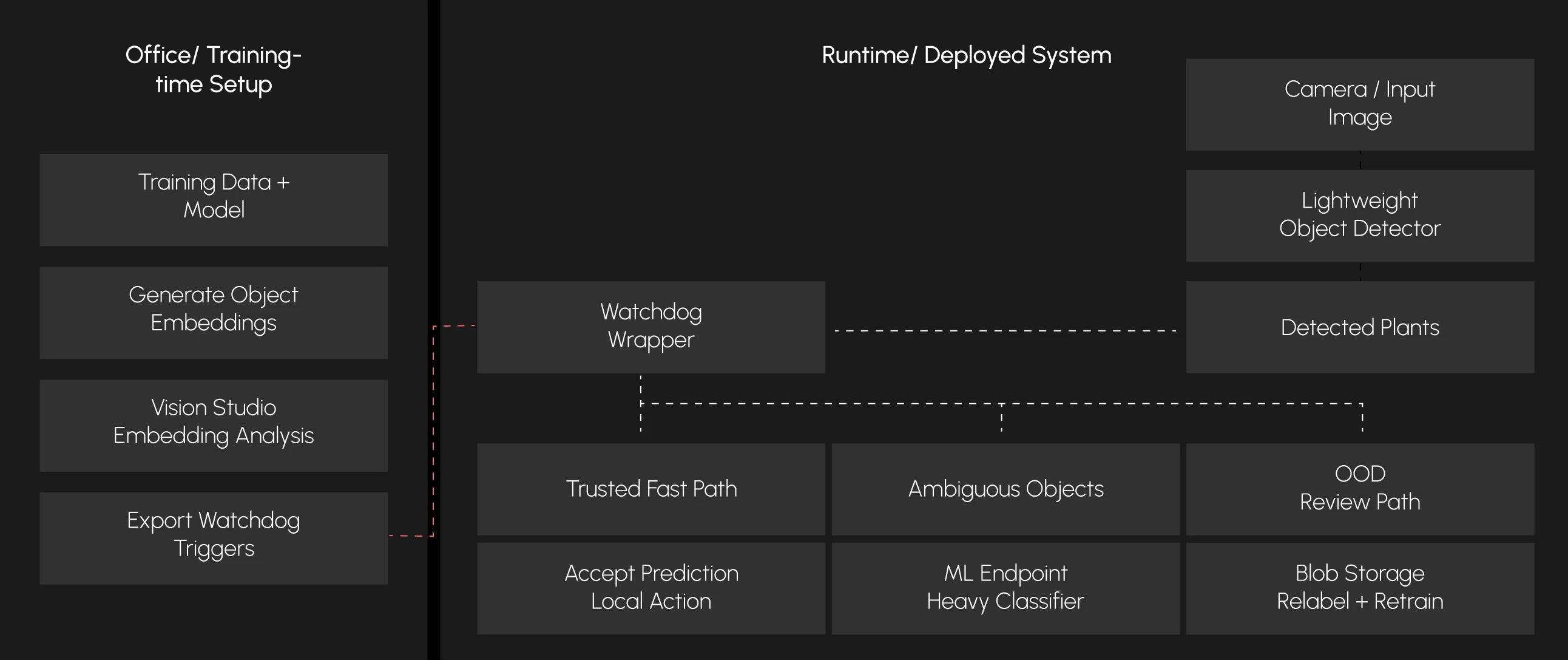
Diagram showing the architecture of a Studio Squinting Pipeline integrated into a production ML system.
Research Paper
MACHINE LEARNING WITH APPLICATIONS
A novel application of XAI in squinting models: A position paper
Read More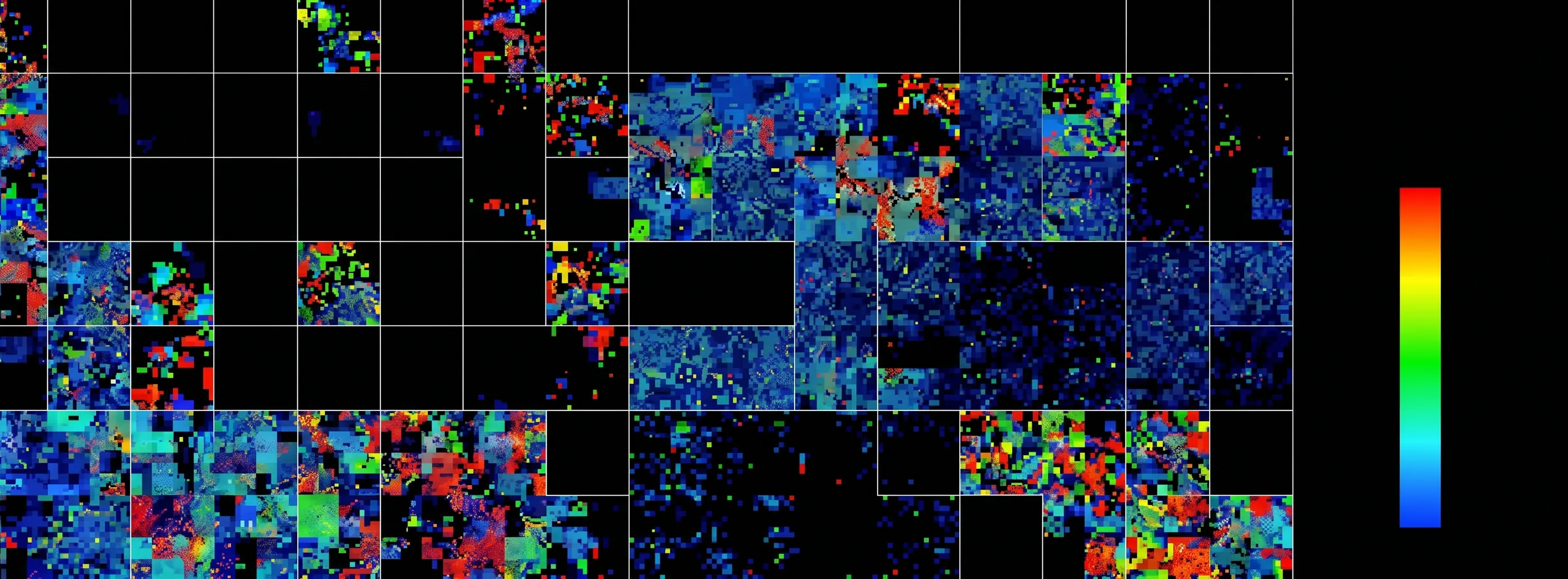
Documentation
You will be guided through the process of setting up a project, importing the CIFAR-10 dataset and model...
This guide walks you through a complete workflow in Squint Vision Studio using the Breast Histopathology Images Dataset...
This guide walks you through a complete workflow in Squint Vision Studio using a custom 10-class subset of the COCO dataset...
You will be guided through the process of setting up a project, importing the MNIST dataset and model...